Revit API
We keep doing this manually
Revit API Tool Development
Custom Revit add-ins for model checking, alignment, sheet workflows, schedules, exports, and automation.
I work close to real CAD/BIM production problems: repeated clicks, slow exports, missing references, and standards that are easy to break under deadline pressure.
I build practical tools for Revit, AutoCAD, and AEC workflows so teams can reduce repetitive work and deliver with more consistency.
Most useful automation starts as ordinary production friction: the step someone repeats every week, the check that depends on memory, or the old script the team still needs but no longer wants to maintain.
The work may become a Revit add-in, an AutoCAD command, a WPF desktop tool, an APS workflow, or a better-documented internal process. The starting point is the production friction.
We keep doing this manually
Custom Revit add-ins for model checking, alignment, sheet workflows, schedules, exports, and automation.
We need tools our team can actually use
AutoCAD .NET, AutoLISP, tool palettes, batch processing, standards checking, drawing cleanup, and productivity tools.
We need cloud or APS automation
Autodesk Platform Services workflows for model derivative, ACC/Docs integration, PDF/DWG extraction, cloud processing, and data pipelines.
We need better CAD/BIM standards
Tools that connect models, drawings, spreadsheets, and project data into cleaner workflows.
Our old tools are hard to maintain
Converting older AutoLISP scripts into maintainable C#/.NET applications.
We need documentation so tools get adopted
User guides, onboarding decks, workflow documentation, and support materials for internal tool rollout.
A few examples from the places where production teams lose time: Revit geometry, CAD-to-BIM placement, internal tool access, Autodesk cloud extraction, and repeatable technical delivery work.
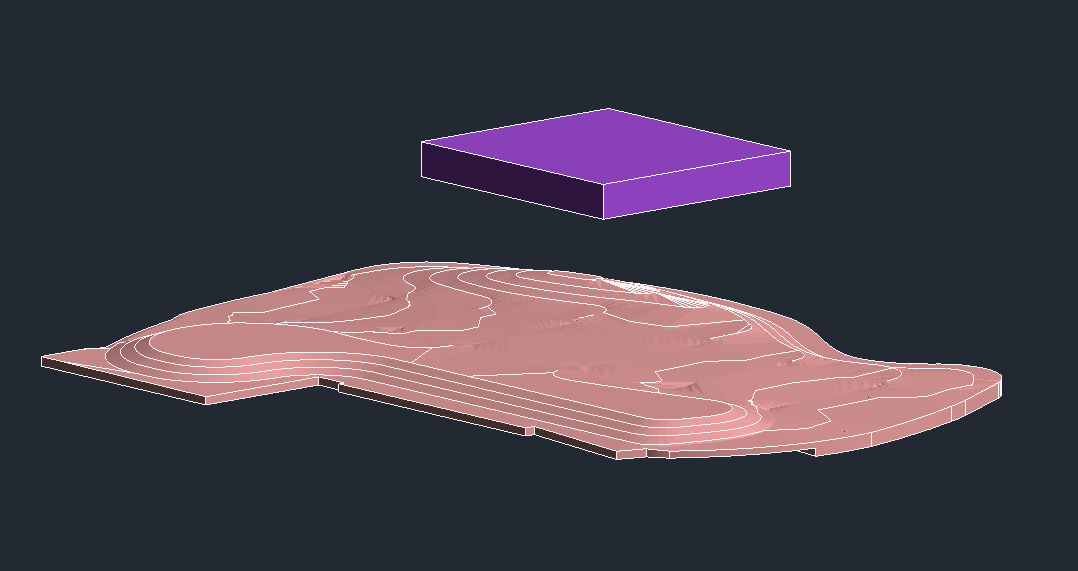
Reduced manual terrain adjustment and improved repeatability for site modeling tasks.
View case study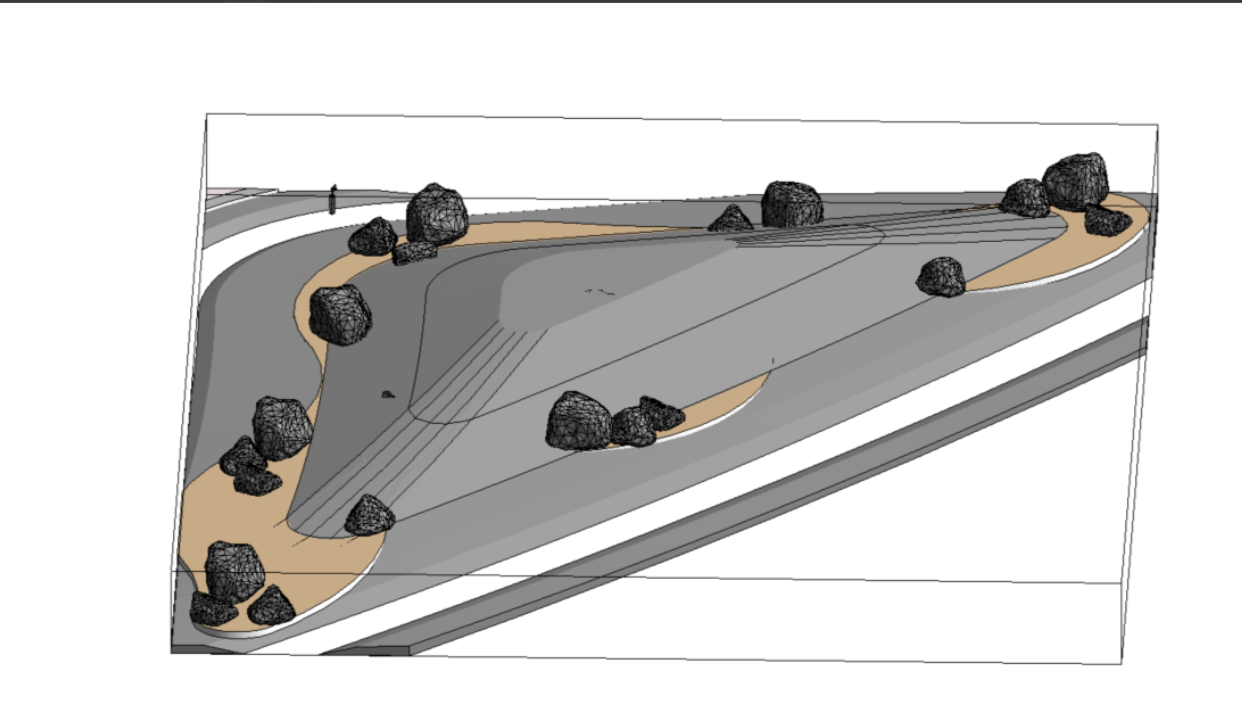
Significantly reduced family placement time and improved positional accuracy when working from CAD source drawings.
View case study
Unified tool access under one interface, improved team adoption, and made onboarding new tools easier going forward.
View case studyThese are the languages and platforms I use to turn CAD/BIM production logic into tools people can maintain, explain, and roll out.
















DevCAD sits between AEC production and software development: understanding how drawings are issued, how Revit models get messy, and how internal tools need to fit into real delivery habits.
Read My BackgroundAEC Context
Built with drafting, BIM, and delivery realities in mind.
Usable Tools
Focused dialogs, clear buttons, useful defaults, and fewer confusing choices.
Rollout Support
Setup notes, edge cases, and handoff material so tools keep being used.
Send the software involved, the manual steps, where the process breaks, and what a better handoff would look like. I'll help you figure out whether it needs a small script, a Revit add-in, an AutoCAD tool, an APS workflow, or better documentation.